I just published a maintenance release of my NotifyIcon control, which addresses a few (long due) issues, most notably for applications that target more recent versions of the .NET framework, or x64 applications.
Source code and samples can be downloaded via the control’s project page. Alternatively, there’s now also an official NuGet package for the control (binaries only) that contains builds for .NET 3.5 up to 4.5.1.
What’s next?
I already started working on a new version of the control. The most important feature will be interactive tooltips (so you can hover over them and interact with clickable content), along with a few minor new features. Check back in a few days/weeks, or follow me on Twitter in order to get the update once it’s released. Also, if you have specific feature requests, let me know!
I just posted an upgrade to my WPF NotifyIcon, which adds some minor improvements to the control. The most important one is probably the simplified data binding support for context menus (thanks to Nic Pillinger for the hint), but I also managed to add some polish in a few other areas.
Apart from the updated control itself, I completely revamped the sample project. It’s no longer just a showcase but contains various standalone samples which cover all aspects of the control. And last but not least, I published a complementary tutorial on the CodeProject. One could say I was quite busy 😉
Further information and download on the project page:
http://www.hardcodet.net/projects/wpf-notifyicon
I’m happy to announce the public release of my WPF NotifyIcon control 🙂
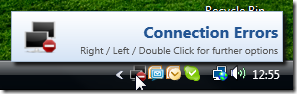
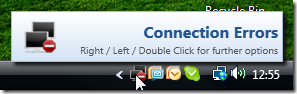
This is an implementation of a NotifyIcon (aka system tray icon or taskbar icon) for the WPF platform. It does not just rely on the existing Windows Forms component, but is a purely independent control which leverages several features of the WPF framework in order to display rich ToolTips, Popups, context menus, and balloon messages.
I’m planning on doing an introductory article on CodeProject (well, somewhere along the way…) but you’ll probably get along just fine – the control comes with a sample application that shows off most of the control’s features.
Further information and download on the project page:
http://www.hardcodet.net/projects/wpf-notifyicon

This is an implementation of a NotifyIcon (aka system tray icon or taskbar icon) for the WPF platform.

Update:
The control has now its own project page. Please go to
http://www.hardcodet.net/projects/wpf-notifyicon