WPF NotifyIcon
This is an implementation of a NotifyIcon (aka system tray icon or taskbar icon) for the WPF platform. It does not just rely on the Windows Forms NotifyIcon component, but is a purely independent control which leverages several features of the WPF framework in order to display rich ToolTips, Popups, context menus, and balloon messages. It can be used directly in code or embedded in any XAML file.
Download Control & Sample Application
(Latest release: 1.0.4, 2009.09.22)
Features at a glance
- Custom Popups (interactive controls) on mouse clicks.
- Customized ToolTips (Vista and above) with fallback mechanism for xp/2003.
- Rich event model including attached events to trigger animations in Popups, ToolTips, and balloon messages. I just love that.
- Full support for standard Windows balloons, including custom icons.
- Custom balloons that pop up in the tray area. Go wild with styles and animations
- Support for WPF context menus.
- You can define whether to show Popups on left-, right-, double-clicks etc. The same goes for context menus.
- Simple data binding for Popups, ToolTips and custom balloons through attached properties and derived data context.
- Command support for single / double clicks on the tray icon.
Tutorial and Support
- A comprehensive tutorial that complements the attached sample application can be found on the Code Project:
http://www.codeproject.com/KB/WPF/wpf_notifyicon.aspx
Please post support questions to the CodeProject forum only. Thank you.
Screenshots
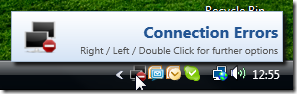
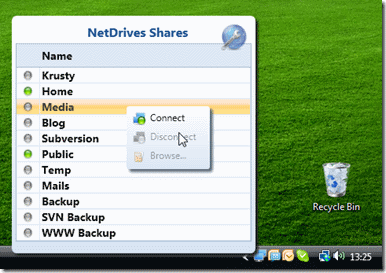
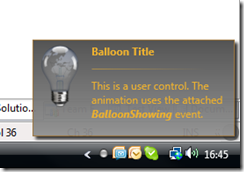
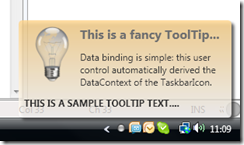
The screenshots below were taken from NetDrives and the sample application.
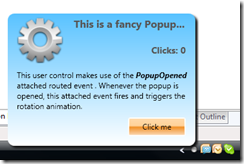
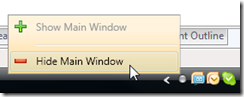
XAML Declaration Sample
The sample below shows some of the properties of the control. For a more comprehensive sample, have a look at the sample application that comes with the download.
<Window x:Class="Hardcodet.NetDrives.UI.SystemTray.Sample" xmlns="http://schemas.microsoft.com/winfx/2006/xaml/presentation" xmlns:x="http://schemas.microsoft.com/winfx/2006/xaml" xmlns:tb="http://www.hardcodet.net/taskbar"> <tb:TaskbarIcon x:Name="myNotifyIcon" Visibility="Visible" ToolTipText="Fallback ToolTip for Windows xp" IconSource="/Images/TrayIcons/Logo.ico" ContextMenu="{StaticResource TrayMenu}" MenuActivation="LeftOrRightClick" TrayPopup="{StaticResoure TrayStatusPopup}" PopupActivation="DoubleClick" TrayToolTip="{StaticResource TrayToolTip}" /> </Window>
Hi. I found this topic on CodeProject but since yesterday did not get any suggestions on trigger error. It seems that I misunderstood something in WPF/XAML but I can’t get to work this simply case. I’d like to run trigger by checking context menu attached to notify icon. Sample code yo may find at Your article discussion at CodeProject here – http://www.codeproject.com/Messages/3848077/Re-How-about-triggers-in-ContextMenu.aspx
I would appreciate any comments and suggestions. And thanx for great work!
Many, many thanks for your library! It helped me a lot. I have one question — you can set animation for you custom balloon, for example as slide. Is there any way to set animation for “closing” the balloon — I would like to slide it down (exactly speaking: to slide it down on timeout, to close it on user manual close). Thank you in advance for figuring it out.
Still no suggestions?
Hi
Very cool library. We use it in Nemo Documents and so far it’s really great. There is just one little problem that we get once in a while, the “Could not create icon data” exception.
As can be seen here:
http://msdn.microsoft.com/en-us/library/bb762159%28v=vs.85%29.aspx
It appears to be related to startup. But I have tried doing a the try and sleep and bit before trying again for a couple of times. This took away quite a bit of them, but there are still some left.
Looking comments in that microsoft article, maybe it would be a good idea to hook into the WM_CREATE event? That way it would also work if explorer crashed and is restarted.
I tried setting the icon for TaskBarIcon
Sample Code :
but it gives me this error, I think I already set the icon correctly but still error occurs
Error : Provide value on ‘System.Windows.Baml2006.TypeConverterMarkupExtension
Any ideas?
Hi,
I was trying to use the notifyicon for a project i’m working on.
I came across a bug, to reproduce:
- End process “explorer.exe”.
- Start your program which uses the notifyicon (or start your project in visual studio).
- Start process “explorer.exe”.
This problem also occurres when a user with a large roaming profile logs on and the program with the notifyicon starts when windows starts. At this time, explorer is not fully started until the user’s profile is loaded.
@Chris Baker
Make sure you’ve set your Application’s ShutdownMode to OnMainWindowClose. By default it’s set to LastWindowClosed and since the notify icon creates a window, it will keep your application alive after the main window closes and you’ll have to kill it from the task manager.
Hi Philipp,
I’ve downloaded your WPF NotifyIcon and is great control.
I’m a new WPF coder, learning the MVVM pattern.
In my application i’m trying to bind a context menu to a command that i’ve created.
In a resource file, i’ve created the taskBarIcon and the context menu.
Here is how, i’m creating the TaskBarIcon and the context menu:
Here is my base class for commands:
public class ViewModelCommand : ICommand
{
public ViewModelCommand(Action executeAction,
Predicate canExecute)
{
if (executeAction == null)
throw new ArgumentNullException(“executeAction”);
_executeAction = executeAction;
_canExecute = canExecute;
}
private readonly Predicate _canExecute;
public bool CanExecute(object parameter)
{
if (_canExecute == null) return true;
return _canExecute(parameter);
}
public event EventHandler CanExecuteChanged;
public void OnCanExecuteChanged()
{
if (CanExecuteChanged != null)
CanExecuteChanged(this, EventArgs.Empty);
}
private readonly Action _executeAction;
public void Execute(object parameter)
{
_executeAction(parameter);
}
}
Here is the viewmodel code for my main window
public class MainViewModel : ViewModel
{
public DataClient dataClient;
public TaskbarIcon taskBarIcon;
private ViewModelCommand fCheckSomethingOnServer = null;
public ViewModelCommand CheckSomethingOnServer
{
get
{
if (fCheckSomethingOnServer == null)
{
fCheckSomethingOnServer = new ViewModelCommand(p => CheckSomething(this, new CheckSomethingEventArgs(dataClient)), p => CanCheckSomething);
}
return fCheckSomethingOnServer;
}
}
public class CheckSomethingEventArgs : EventArgs
{
public CheckSomethingEventArgs(DataClient dataClient)
{
this.dataClient = dataClient;
}
public DataClient dataClient { get; set; }
}
private void CheckSomething(object sender, CheckSomethingEventArgs e)
{
e.DataClient.CheckSomething();
}
private bool CanCheckSomething
{
get { return dataClient.Logged; }
}
}
Here is the Main Window code:
public DataClient dataClient;
private TaskbarIcon tb;
private MainViewModel _viewModel = null;
public MainWindow()
{
InitializeComponent();
dataClient = new DataClient();
tb = (TaskbarIcon)FindResource(“MyNotifyIcon”);
if (fViewModel == null)
{
fViewModel = new MainViewModel();
fViewModel.dataClient = dataClient;
fViewModel.taskBarIcon = tb;
DataContext = fViewModel;
}
}
The problem is that the CheckSomethingOnServer command is never fired.
Could you help me to fix that problem?
Feel free to contact my by e-mail.
Thanks
Best regards,
Marcos Lommez
Wow, I was amazed to the extend of work you put in this assembly. Thank you very much for your efforts. So far, it works fantastic. Big thanks.
loving this thing man! THanks! BUilding a timer tool that helps me track multitasking and also add notes to keep track of where i am with all. Lemme know if you’re interested i’ll send it to you – Rich
Anyone could help me to fix that problem in my previous post?
Thanks
Hi,
thank you for this awesome tuto and component !
I tried to add a webbrowser wpf component to the notification but it stays invisible (works when I click on it).
Do you have any idea to solve this ?
Regards
@Oz
I found why, this is cause by the AllowsTransparency attributes :
http://blogs.msdn.com/b/changov/archive/2009/01/19/webbrowser-control-on-transparent-wpf-window.aspx
Thanks
@Anders Rune Jensen
We also see the “Could not create icon data” exception infrequently on app startup. Still looking for a permanent fix…
Hey,
Excellent work here!
I’m trying to display the context menu on a left click, but can’t get it to work. It’s easy to capture the left click event, but there doesn’t seem to be a way to force the context menu to show?
Thanks!
@Anders Rune Jensen I am experiencing the same intermittent issue on startup. Did you ever do anything to fix this? If so, would you be willing to share the changes you made?
BTW, interesting product; I’m going to have to check it out!
First, thanks for a terrific library!
We’ve run into an issue we don’t know how to solve. We’re getting a couple empty spaces in the systray along with the NotifyIcon. Each of the extras takes up the same space as a normal systray icon, but with no icon, no tooltip, etc., just the normal OS hover state.
Anyone seen this, or know how to resolve?
Best!
@Wietse Sas
Did you manage to come up with a solution for this?
The included sample works nicely. However, whenever I change the project from .NET 3.5 to .NET 4.0 Client Profile, it all breaks. Menu items become disabled or disappear, and most importantly (to me), the context menus appear higher up (past the taskbar) instead of where the mouse is over the icon. I am having these issues in my own .NET 4.0 Client Profile project when using your WPF NotifyIcon. I just want the menu to appear in the right place. Do you have a solution for this?
Hi,
Thanks for such a great control! However, could you please consider re-licensing it under a more mainstream license? The CPOL license has a few quite bizarre clausules, which results in it being GPL-incompatible. For example the Apache license is quite similar to the CPOL but is GPL compatible.
Thanks!
First off cool control.
If I create a helper class like
public static void DisplayMessageArea(string messageToDisplay)
{
TaskbarIcon task =new TaskbarIcon();
task.ToolTipText = messageToDisplay;
The tooltip is displayed however it never goes away. If I call the helper class again and again. The amount of tooltips keeps growing and growing.
I have tried Dispose & Close however it doesnt help.
Have you had this problem before?
Can’t install it using nuget for .net 3.5
Successfully installed ‘Hardcodet.Wpf.TaskbarNotification 1.0.4.0′.
Successfully uninstalled ‘Hardcodet.Wpf.TaskbarNotification 1.0.4.0′.
Install failed. Rolling back…
Could not install package ‘Hardcodet.Wpf.TaskbarNotification 1.0.4.0′. You are trying to install this package into a project that targets ‘.NETFramework,Version=v3.5′, but the package does not contain any assembly references that are compatible with that framework. For more information, contact the package author.
Hi,
Love the project. Just one question though, on the balloon tip demo, there seems to be a blank icon in the system tray alongside the other icon. In my own project, I’m using your example code, but I’m having the same problem whereby a blank icon shows next to the notify icon. Do you know why this might be happening?
Thanks,
Jon
Hi Sumi
Thank you for this great library. I just have one problem when my program closed, the icon is still in the tray bar. Only when my mouse is over it, then it vanishes. Here’s my code:
protected override void OnStateChanged(EventArgs e)
{
if (WindowState == WindowState.Minimized)
{
this.Hide();
tiNotify.Visibility = System.Windows.Visibility.Visible;
}
else tiNotify.Visibility = System.Windows.Visibility.Collapsed;
base.OnStateChanged(e);
}
protected override void OnClosing(System.ComponentModel.CancelEventArgs e)
{
//clean up notifyicon (would otherwise stay open until application finishes)
tiNotify.Dispose();
base.OnClosing(e);
}
Thanks for the great icon component!
One suggestion to make it immediately usable for localization needs: mark the NotifyIconData structure and Shell_NotifyIcon with CharSet = CharSet.Unicode.
In my case some (Czech) characters were converted incorrectly without doing so.
I haven’t see any reaponse to the issue with using C# version 4.0 (context menu not enabled). Is there an update available somewhere?
Thanks
Hello,
Did you guys tried to use this brilliant tool and to set the ShowInTaskbar to False?
I’ve a big issue when users click on “show desktop” and click on the notifyicon, I can’t get the window on the top.
Thanks if you have any tip.
Thank you for developing and sharing this piece of code.
I’ve found a strange bag. If on the PC installed Wacom tablet driver (may be any stylus input device driver, I have a Wacom device) and application uses your component, it cannot correctly shut down. The application just isn’t removed from memory. Disposing TaskbarIcon doesn’t help. .NET Framework 4.0
Workaround is disabling whole support for tablet devices in the application as it is described in http://msdn.microsoft.com/en-us/library/dd901337(VS.90).aspx
Like this:
private static void DisableTabletSupport()
{
// Get a collection of the tablet devices for this window.
TabletDeviceCollection lDevices = Tablet.TabletDevices;
if (lDevices.Count > 0)
{
// Get the Type of InputManager.
Type lInputManagerType = typeof (InputManager);
// Call the StylusLogic method on the InputManager.Current instance.
object lStylusLogic = lInputManagerType.InvokeMember(
“StylusLogic”,
BindingFlags.GetProperty | BindingFlags.Instance | BindingFlags.NonPublic,
null,
InputManager.Current,
null);
if (lStylusLogic != null)
{
// Get the type of the stylusLogic returned from the call to StylusLogic.
Type lStylusLogicType = lStylusLogic.GetType();
// Loop until there are no more devices to remove.
while (lDevices.Count > 0)
{
// Remove the first tablet device in the devices collection.
lStylusLogicType.InvokeMember(
“OnTabletRemoved”,
BindingFlags.InvokeMethod | BindingFlags.Instance |
BindingFlags.NonPublic,
null,
lStylusLogic,
new object[] {(uint) 0});
}
}
}
}
Philipp, I’ve used this code successfully in a “native” WPF project and have found it reliable and easy to work with. Thanks for sharing.
I would now like to use it in an ExcelDNA addin project which allows visualisation of objects which Excel is unable to display. However, in this situation there is no Application object. I note that you check for Application.Current != null in the TaskBarIcon ctor, but elsewhere this check is not performed and consequently exceptions are thrown (for example, clicking the icon). Fixing this should be relatively trivial.
I also observed an issue with focus and context menus. The WPF context menu displays correctly on right-click, but disappears when the mouse enters the menu region (or Excel). I’m not sure how to go about fixing this.
NB I have no problems if I use the WinForms NotifyIcon.
Apologies Philipp, I see above that you request comments be posted to codeproject only, but for those who stumble upon my comment, I fixed the focus issue using the solution suggested at the following link (with some minor alterations):
http://blogs.msdn.com/b/vsod/archive/2009/12/16/excel-2007-wpf-events-are-not-fired-for-items-that-overlap-excel-ui-for-wpf-context-menus.aspx
Regards
I’ve been trying this with Windows 8 (it’s embedded inside the project https://github.com/play/play-windows), and it seems that CreateMessageWindows() is failing with a memory access violation caused on a call to WinApi.CreateWindow. Is it possible that the Hardcodet.Wpf.TaskbarNotification.Interop class has to be changed because of some underlying changes in Windows 8 with respect to previous Windows versions? Does anyone know any more about this?
Hi,
Here are portions of my code:
using TBN = Hardcodet.Wpf.TaskbarNotification;
and
TBN.TaskbarIcon tbi = new TBN.TaskbarIcon();
tbi.ShowBalloonTip(“Welcome”, “This is a test”, TBN.BalloonIcon.Info);
After awhile the balloontip goes away from the system tray, but it leaves behind an empty space there.
How can I remove that empty space when the balloontip is no longer visible?
Thanks,
Claire
I was wondering why there was a pause before my popup was shown. I found it was because of the mouse event handling so I changed it as follows. This then defaults to show immediately. Basically if double clicking hasn’t been setup then we don’t need to check for it. The same applies to the menu activation.
//show popup, if requested
if (me.IsMatch(PopupActivation))
{
if (me == MouseEvent.IconLeftMouseUp)
{
if (PopupActivation == PopupActivationMode.DoubleClick
|| PopupActivation == PopupActivationMode.LeftOrDoubleClick
|| PopupActivation == PopupActivationMode.All)
@Sys
The problem seems to be that when shutting down the app with
Application.Current.Dispatcher.InvokeShutdown(); or similar
The GC finalizes the TaskbarIcon and Dispose(true) is never called and in turn RemoveTaskbarIcon().
If you change the Dispose(bool disposing) method as follows it will clean up the icon.
private void Dispose(bool disposing)
{
//don’t do anything if the component is already disposed
if (IsDisposed || !disposing)
{
// Cleanup unmanaged resources
RemoveTaskbarIcon();
return;
}
It’s great, but i’ve got some problems with the context menu of the icon.
If the menu has more than one item, the menu appears above the taskbar…
I don’t know what to do…in the sample everything works well, but even when I copy the same code into my project, there’s the bug with the wrong placement. Any ideas?
Alex
Hello
this is a nice work but i have a problem with the implementation. i try to use a context menu on your icon.
So the doublclick command is worked but the menue item doesn’t work. So have you any idea of this problem?
@Daniel
Hello
this is a nice work but i have a problem with the implementation. i try to use a context menu on your icon.
<!–
–>
So the doublclick command is worked but the menue item doesn’t work. So have you any idea of this problem?
very nice sir thnx a lot
WOW!!!!!!!!!!
this is fantastic!!!!!!
Hey, I just found this. This is a great help to what we are trying to accomplish. A quick question: Could you point me to where you pick up your knowledge of how to create the wrapper for Commands as you have them set up? I am looking to (potentially) expand upon them, and was wondering if expanding is really necessary. Anyway, thanks for the WPF NotifyIcon Set
Fantastic project, for newbies this kind of thing is great. Is there any chance you have a vb.net version laying around?
Hi, thanks for this great piece of code!
I just noticed a problem when you try to display Chinese or other non-latin characters in balloons: they’re displayed as ‘?’. Setting CharSet = Auto on NotifyIconData and Shell_NotifyIcon fixes the problem on Windows 7, but then it doesn’t work at all on Windows XP (neither balloons nor tooltips are shown)… any idea?
Hi, I’m having a problem using your fantastica lib.
When I create a fresh project (WPF .net 4.5) and configure you lib, everything works well.
The xaml that I’m using is
Then I change the .net version of my project to .net 4 (I need it…) and I start to get an exception that are throwed by CreateMessageWindow() on WindowsMessageSink. E exception happens because MessageWindowHandle is equals to IntPtr.Zero.
What me I doing wrong?
How can you have keyboard shortcuts on the NotifyIconWPF ContextMenu (e.g. press x after right-click, instead of clicking exit)?
I have made many failed attempts to use keyboard shortcuts on the context menu of NotifyIcon WPF. For example:
var exit_Item = new MenuItem();
exit_Item.Header = “E_xit”;
exit_Item.Click += new RoutedEventHandler(new System.EventHandler(ExitProgram));
myNotifyIconWpf.ContextMenu.Items.Add(exit_Item);
This does not work. The x shows up underlined, but pressing the key does nothing. I have tried explicitly binding to the PreviewKeyDown events of the NotifyIcon and the ContextMenu, etc., but nothing seems to work.
Thanks in advance.
This library isn’t compatible with AMD64 machines. Here’s a patch to fix the problem:
# HG changeset patch
# User Mark Junker
# Date 1358181753 -3600
# Node ID 74e2a24ae6e55a69c2a517d8290156766038f989
# Parent b5b8a1f4fb8ecef671834f2d8599c65263ccd7ab
Make API definition compatible for AMD64 builds/machines
diff -r b5b8a1f4fb8e -r 74e2a24ae6e5 NotifyIconWpf/Interop/WinApi.cs
— a/NotifyIconWpf/Interop/WinApi.cs Mon Jan 14 17:38:40 2013 +0100
+++ b/NotifyIconWpf/Interop/WinApi.cs Mon Jan 14 17:42:33 2013 +0100
@@ -21,15 +21,15 @@
[DllImport("USER32.DLL", EntryPoint = "CreateWindowExW", SetLastError = true)]
public static extern IntPtr CreateWindowEx(int dwExStyle, [MarshalAs(UnmanagedType.LPWStr)] string lpClassName,
[MarshalAs(UnmanagedType.LPWStr)] string lpWindowName, int dwStyle, int x, int y,
- int nWidth, int nHeight, uint hWndParent, int hMenu, int hInstance,
- int lpParam);
+ int nWidth, int nHeight, IntPtr hWndParent, IntPtr hMenu, IntPtr hInstance,
+ IntPtr lpParam);
///
/// Processes a default windows procedure.
///
[DllImport("USER32.DLL")]
- public static extern long DefWindowProc(IntPtr hWnd, uint msg, uint wparam, uint lparam);
+ public static extern long DefWindowProc(IntPtr hWnd, uint msg, IntPtr wparam, IntPtr lparam);
///
/// Registers the helper window class.
diff -r b5b8a1f4fb8e -r 74e2a24ae6e5 NotifyIconWpf/Interop/WindowClass.cs
— a/NotifyIconWpf/Interop/WindowClass.cs Mon Jan 14 17:38:40 2013 +0100
+++ b/NotifyIconWpf/Interop/WindowClass.cs Mon Jan 14 17:42:33 2013 +0100
@@ -7,7 +7,7 @@
/// Callback delegate which is used by the Windows API to
/// submit window messages.
///
- public delegate long WindowProcedureHandler(IntPtr hwnd, uint uMsg, uint wparam, uint lparam);
+ public delegate long WindowProcedureHandler(IntPtr hwnd, uint uMsg, IntPtr wparam, IntPtr lparam);
///
diff -r b5b8a1f4fb8e -r 74e2a24ae6e5 NotifyIconWpf/Interop/WindowMessageSink.cs
— a/NotifyIconWpf/Interop/WindowMessageSink.cs Mon Jan 14 17:38:40 2013 +0100
+++ b/NotifyIconWpf/Interop/WindowMessageSink.cs Mon Jan 14 17:42:33 2013 +0100
@@ -186,7 +186,7 @@
taskbarRestartMessageId = WinApi.RegisterWindowMessage(“TaskbarCreated”);
// Create the message window
- MessageWindowHandle = WinApi.CreateWindowEx(0, WindowId, “”, 0, 0, 0, 1, 1, 0, 0, 0, 0);
+ MessageWindowHandle = WinApi.CreateWindowEx(0, WindowId, “”, 0, 0, 0, 1, 1, IntPtr.Zero, IntPtr.Zero, IntPtr.Zero, IntPtr.Zero);
if (MessageWindowHandle == IntPtr.Zero)
{
@@ -202,7 +202,7 @@
///
/// Callback method that receives messages from the taskbar area.
///
- private long OnWindowMessageReceived(IntPtr hwnd, uint messageId, uint wparam, uint lparam)
+ private long OnWindowMessageReceived(IntPtr hwnd, uint messageId, IntPtr wparam, IntPtr lparam)
{
if (messageId == taskbarRestartMessageId)
{
@@ -226,11 +226,11 @@
/// or higher, this parameter can be used to resolve mouse coordinates.
/// Currently not in use.
/// Provides information about the event.
- private void ProcessWindowMessage(uint msg, uint wParam, uint lParam)
+ private void ProcessWindowMessage(uint msg, IntPtr wParam, IntPtr lParam)
{
if (msg != CallbackMessageId) return;
- switch (lParam)
+ switch (lParam.ToInt32())
{
case 0×200:
MouseEventReceived(MouseEvent.MouseMove);
Is it possible to use this without a window?
Whether to wait for the 64-bit version?