WPF NotifyIcon – Release Candidate
April 1st, 2009
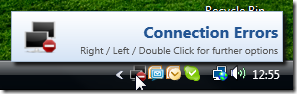
This is an implementation of a NotifyIcon (aka system tray icon or taskbar icon) for the WPF platform.
Update:
The control has now its own project page. Please go to
This is an implementation of a NotifyIcon (aka system tray icon or taskbar icon) for the WPF platform.
Update:
The control has now its own project page. Please go to


This is great! Coincidentally, I’ve been struggling with the NotifyIcon and ContextMenu for the last couple days, wondering why a pure WPF solution doesn’t exist. This seems to work just great. I will let you know if I run into any issues. Thanks for putting this together!
Great control! Is it possible to add a ShowPopup Method?
Tgr
Wouldn’t that be the method to show a custom balloon tooltip? I think opening the regular popup programmatically is somewhat problematic for these reasons:
– unless the custom balloon (which is intended to show information only), the popup is closed through to user interaction, namely if the user clicks anywhere on the screen.
– the user probably doesn’t have her focus on the tray area (doing something completely different).
– as soon as another window is clicked, the popup is closed again, not giving the user a chance to interact with the popup. As the popup was opened programmatically, this might have been a one-time chance (unlike a popup that opens due to a mouse-click on the tray – in that case, the user just clicks again).
Accordingly, I would rather open a popup or dialog in the area of my application. However: If you (or others) have some good counter-arguments against this, I might re-evaluate my position 😉
Hi @Philipp Sumi 🙂
I’m after manually closing the tray popup, as I’m launching another window from the popup and I’d like the tray popup to close at that time, rather than when the user first clicks somewhere in the new window. Is that possible at this time?
Cheers,
Marc
@Marc
I’m stucking at the same question, do you have found a Solutions to Close the TrayPopup programmatically?